Table of Contents
xml-extension-info
View XML Files Directly in Your Browser
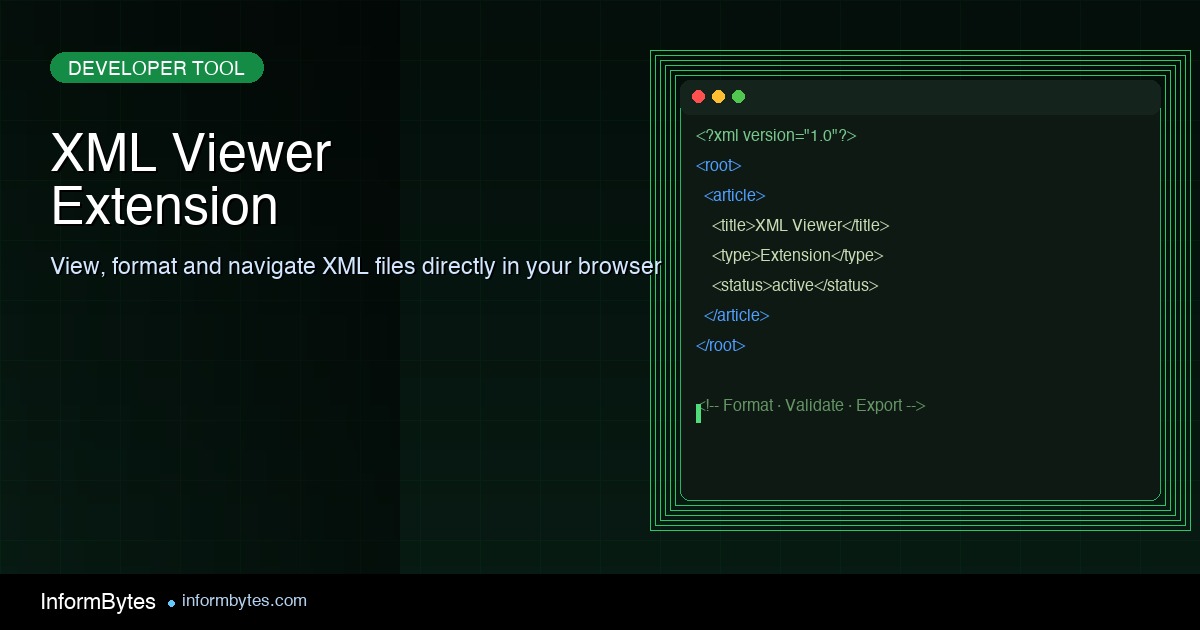
A simple, fast, and beautiful way to view XML files with syntax highlighting and tree navigation.
Add to ChromeKey Features
Discover why XML File Viewer is the perfect tool for developers, data analysts, and anyone who works with XML files.
Syntax Highlighting
Color-coded syntax highlighting makes it easy to read and understand XML structure at a glance.
Tree Navigation
Expand and collapse nodes to explore complex XML documents with ease.
Search Functionality
Quickly find elements, attributes, or values within large XML files.
Lightning Fast
Open XML files instantly without any delay, even for large documents.
Local & Remote Files
View both local XML files and XML content from URLs with ease.
Customizable Theme
Choose between light and dark themes for comfortable viewing in any environment.
Development imagery
Illustrative development photos, not screenshots of XML File Viewer.
 Illustrative photo · Photo by Myburgh Roux on Pexels.
 Illustrative photo · Photo by Leonid Altman on Pexels.
 Illustrative photo · Photo by Nemuel Sereti on Pexels.
How to Use
Get started with XML File Viewer in just a few simple steps.
Install the Extension
Add XML File Viewer to Chrome from the Chrome Web Store with just one click.
Open an XML File
Click on any XML file link or drag and drop an XML file into Chrome.
Explore and Navigate
Use the tree navigation to expand and collapse nodes, search for content, and explore your XML data with ease.
Customize Your View
Adjust settings like theme, font size, and display options to suit your preferences.
What Users Say
Join thousands of satisfied users who love XML File Viewer.
“This extension has become an essential part of my development workflow. It makes working with XML files so much easier!”

“I deal with large XML data sets daily, and this extension has been a game-changer for my productivity.”
“Simple, fast, and does exactly what it promises. The tree navigation feature is particularly helpful for complex XML files.”
Support the Development
Help us keep improving XML File Viewer with your support.
XML File Viewer is completely free to use, but developing and maintaining quality software takes time and resources. If you find this extension useful, consider buying us a cup of coffee!
XML Viewer Extension: The Developer’s Essential Browser Tool
An XML viewer extension transforms how developers work with XML data in the browser. Instead of wrestling with raw, unformatted XML text, a good XML viewer extension renders structured data with syntax highlighting, collapsible tree views, and navigation tools that make even complex documents readable and navigable.
For developers who regularly work with APIs, configuration files, or data feeds, an XML viewer extension is not a luxury but a necessity. The difference between reading a wall of unformatted XML and navigating a properly rendered tree structure is the difference between frustration and productivity. Choosing the right extension matters.
Key Features of a Quality XML Viewer Extension
A quality XML viewer extension provides several core features that distinguish it from basic text rendering. Syntax highlighting colors different XML elements, attributes, and values differently, making the structure immediately visible. This color coding reduces eye strain and helps developers spot errors at a glance.
Tree navigation is another essential feature of a well-designed XML viewer extension. Collapsible and expandable nodes allow developers to focus on specific sections of large XML documents without being overwhelmed by the entire file. This hierarchical view mirrors the actual structure of the data, making it intuitive to explore.
Search and filtering capabilities within an XML viewer extension help developers locate specific elements quickly. In documents with thousands of nodes, manually scrolling is impractical. Built-in search that highlights matching elements and attributes saves significant time during debugging and data exploration tasks.
How an XML Viewer Extension Improves Developer Workflow
The productivity impact of an XML viewer extension cannot be overstated. When debugging API responses, developers need to quickly understand the structure and content of XML payloads. An extension that formats and highlights this data eliminates the need to copy it into a separate editor, streamlining the debugging process.
An XML viewer extension also improves code quality by making XML errors more visible. Missing closing tags, malformed attributes, and encoding issues are much easier to spot when the document is properly formatted and color-coded. This immediate visual feedback helps catch problems before they propagate.
For teams working with XML-based configuration files, an XML viewer extension ensures everyone can read and understand the structure. When configurations are clearly rendered, team members can collaborate more effectively, reducing the risk of misconfiguration that leads to runtime errors or security vulnerabilities.
Choosing the Right XML Viewer Extension
When selecting an XML viewer extension, developers should consider several factors. Browser compatibility is primary. The extension should work seamlessly with your primary development browser, whether Chrome, Firefox, or Edge. Cross-browser support is valuable for teams using different browsers.
Performance matters significantly in an XML viewer extension, particularly when handling large files. Some extensions struggle with documents over a few megabytes, becoming slow or unresponsive. A well-engineered XML viewer extension should handle large XML files smoothly, with lazy loading and virtual scrolling to maintain responsiveness.
Customization options enhance the utility of an XML viewer extension. Themes that match your development environment, configurable syntax highlighting colors, and adjustable tree expansion behavior allow developers to tailor the tool to their preferences. These options may seem minor but significantly affect daily usability.
Advanced Features in Modern XML Viewer Extensions
Beyond the basics, modern XML viewer extensions offer advanced features that add significant value. XPath query support allows developers to extract specific data from XML documents using standard query syntax. This capability transforms the extension from a viewer into a lightweight analysis tool.
Some XML viewer extensions include validation capabilities, checking XML against DTD or XSD schemas. This feature is invaluable for developers working with standardized XML formats, as it catches structural errors that simple visual inspection might miss. Schema validation ensures documents conform to expected specifications.
Export and transformation features appear in more advanced XML viewer extensions. The ability to convert XML to JSON, CSV, or other formats directly in the browser saves developers from using separate conversion tools. XSLT transformation support allows rendering XML as HTML, making it useful for presentation as well as debugging.
XML Viewer Extension for API Development
API developers benefit particularly from an XML viewer extension. When testing SOAP services or XML-returning REST endpoints, the ability to immediately view and navigate the response in the browser accelerates development. Instead of pasting responses into external tools, developers can inspect them inline.
An XML viewer extension also aids in API documentation. When documenting XML request and response formats, having a clear, formatted view of example payloads improves documentation quality. Screenshots of properly rendered XML are more useful to API consumers than raw text dumps.
For debugging API integrations, an XML viewer extension helps identify mismatches between expected and actual response structures. Side-by-side comparison of expected and actual XML is easier when both are properly formatted. This visual debugging approach is faster and more reliable than scanning raw text for differences.
Security Considerations for Your XML Viewer Extension
While an XML viewer extension is a productivity tool, security considerations apply. Extensions that request broad permissions may access sensitive data on pages you visit. Review the permissions requested by any XML viewer extension before installation, and prefer extensions from reputable developers with positive reviews.
XML itself can carry security risks that an XML viewer extension should handle safely. XML External Entity attacks, which exploit XML parsers to access local files or initiate network requests, are a known vulnerability. A well-designed XML viewer extension should parse XML safely, preventing these attacks from executing in the browser context.
Privacy is another consideration when choosing an XML viewer extension. Some extensions may send document data to external servers for processing. For developers working with sensitive or proprietary XML data, an extension that performs all processing locally is essential. Review the extension’s privacy policy before installation.
Maximizing Productivity With Your XML Viewer Extension
To get the most from your XML viewer extension, learn its keyboard shortcuts. Most extensions offer shortcuts for expanding and collapsing nodes, searching, and navigating. Memorizing these shortcuts transforms the extension from a useful tool into a seamless part of your development workflow.
Integrating your XML viewer extension with other development tools creates a more efficient workflow. If your extension supports exporting to JSON or other formats, you can quickly convert API responses for use in downstream tools. Some extensions also integrate with browser developer tools, providing a unified debugging experience.
Finally, keep your XML viewer extension updated. Developers of active extensions regularly add features, improve performance, and patch security issues. An outdated extension may not properly render newer XML standards or may contain unpatched vulnerabilities. Regular updates ensure you always have the best and safest version of your essential development tool.
Whether you are a seasoned developer working with complex enterprise XML schemas or a beginner parsing your first API response, a quality XML viewer extension is one of the most impactful tools you can add to your browser. The time saved and errors prevented by proper XML rendering make it an investment that pays dividends every single day.
Frequently Asked Questions About XML viewer extension
What is XML viewer extension and why does it matter?
Understanding XML viewer extension is essential for professionals and businesses navigating today’s rapidly evolving landscape. This topic directly impacts strategic decisions, operational efficiency, and long-term competitiveness.
How can organizations prepare for changes related to XML viewer extension?
Organizations should conduct thorough assessments, invest in training, and develop implementation roadmaps. Staying informed about XML viewer extension developments ensures proactive rather than reactive responses.
What are the key challenges associated with XML viewer extension?
The primary challenges include resource constraints, skill gaps, regulatory compliance, and the need for continuous adaptation. However, these challenges also present opportunities for innovation and differentiation.
How does XML viewer extension compare to previous trends in this space?
Compared to earlier developments, XML viewer extension represents a significant evolution in both scope and impact. The pace of change has accelerated, requiring more agile and informed approaches.
Conclusion and Future Outlook
The developments surrounding XML viewer extension represent both challenges and opportunities for organizations and individuals alike. By understanding the key trends, implementing recommended strategies, and maintaining awareness of ongoing changes, stakeholders can navigate this evolving landscape with confidence. The future will likely bring continued innovation and regulatory evolution in this space.
What are the long-term implications of XML viewer extension?
The long-term implications extend beyond immediate tactical considerations, potentially reshaping industry structures, competitive dynamics, and regulatory frameworks. Organizations that invest in understanding and adapting to XML viewer extension will be better positioned for sustainable success.
How should beginners approach learning about XML viewer extension?
Beginners should start with foundational concepts, gradually building knowledge through reputable sources, practical exercises, and community engagement. A structured learning path ensures comprehensive understanding without overwhelming complexity.
Expert Insights and Analysis on XML viewer extension
Industry experts and analysts have been closely monitoring developments related to XML viewer extension, offering valuable perspectives on current trends and future directions. Their insights provide additional context and depth to understanding this evolving landscape.
Professional Perspectives on XML viewer extension
Leading professionals in the field emphasize that XML viewer extension represents a fundamental shift rather than an incremental change. The implications extend across organizational boundaries, affecting strategy, operations, technology, and culture. Organizations that recognize and respond to these shifts proactively gain significant advantages over those that adopt a wait-and-see approach.
Common Pitfalls to Avoid with XML viewer extension
Several common mistakes can undermine effectiveness when addressing XML viewer extension. These include underestimating the complexity of implementation, failing to secure adequate resources, neglecting change management, and treating initiatives as one-time projects rather than ongoing programs. Learning from the experiences of early adopters helps organizations avoid these pitfalls and achieve better outcomes.
Building a Sustainable Approach to XML viewer extension
Sustainability in the context of XML viewer extension requires ongoing commitment, regular reassessment, and adaptive planning. Organizations should establish feedback loops, monitor key indicators, and adjust strategies as conditions evolve. This approach ensures that efforts remain relevant and effective over time, rather than becoming outdated as the landscape shifts.
The Competitive Advantage of Early Adoption
Organizations that move quickly to understand and address XML viewer extension often gain significant competitive advantages. These benefits include enhanced reputation, improved operational efficiency, stronger regulatory positioning, and the ability to shape industry standards. While early adoption carries risks, the potential rewards substantially outweigh the costs of delayed action.
Recommendations for Different Organizational Sizes
The approach to XML viewer extension should vary based on organizational size and resources. Large enterprises can invest in dedicated teams and comprehensive programs. Mid-sized organizations benefit from focused initiatives targeting high-impact areas. Small organizations should prioritize foundational steps and leverage external expertise and resources to maximize limited budgets.
Conclusion: Key Takeaways on XML viewer extension
This comprehensive analysis of XML viewer extension has explored multiple dimensions including current trends, strategic considerations, best practices, risk management, and future outlook. The key takeaway is that XML viewer extension demands proactive engagement from organizations of all sizes. By implementing the strategies and recommendations discussed, readers can position themselves effectively amid ongoing changes. Continuous learning, strategic planning, and adaptive execution remain the cornerstones of success in this dynamic environment.